javascript tutorial part 1
(this series is a living document; expect changes in the future.)
javascript is a programming language used by web browsers, meaning you have it installed on your computer right now. let’s speedrun a simple hello world program!
you’re reading this with a web browser, right? let’s open the console :3. press ctrl+shift+I (or right click and press something like “inspect”), look at the tabs on the top of the new screen, click the one named console, and behold its glory:
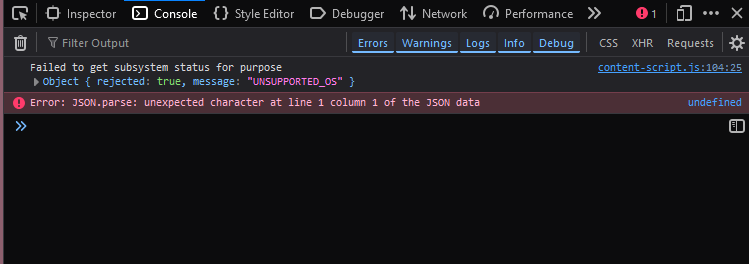
I am using firefox for this tutorial, but to follow along with this series, any generally updated browser will suffice. I use firefox because I’m a furry.
(note: if you are on like some administered chromebook and “inspect element” is blocked, use the p5.js editor. console at the bottom of the page ;3)
hellowo
in the little text prompt, write this down:
1 + 1
and press enter. you should see:
=> 2
brilliant! we can do basic math. excellent. those are called numbers. please remember that.
type this and enter:
"haii :3"
you’ll get
=> "haii :3"
this is called a string. a string is like a list of characters. strings are denoted using " or ' characters, with the contents of the string inside of them. for example: "hello", 'name', "where did samantha's teeth go", 'and then I said "woag", kinda wild'. note that for that latter case, you can mix up the kind of " ' characters to include them inside the string without breaking the string. doing something like "and then I said "woag", kinda wild", it would cause some kind of error. so "'" and '"' is allowed, but not """ or '''.
anyways. type this and enter:
console.log("haii :3")
and you’ll get something like:
=> undefined
2
nice. what happened? what did that console and log stuff even mean?
let’s break it down a tiny bit.
this here:
console
refers to the javascript console. it’s basically a big collection of Things we can use to play with the console. very helpful when you are staring at that console!
console.
that . means you are looking inside the thing before it. it’s called a “property accessor”, because console is a Thing that holds named Properties. console is almost like a folder in that way.
console.log
log is the property we are accessing inside the console Thing. log is actually a function, or a pre-written piece of code that you can reuse. log inside console means like, “write to the console”.
console.log()
() is basically saying. “that function there? yea. run the code inside of it”.
finally,
console.log("haii :3")
anything inside the () is given to the function to use. in this case, we are giving the string "haii :3" to the function, and the function uses that to print it. this is called an “argument”.
almost every programming language ever has a different way of printing to a console. some programming languages make it easy! here’s python:
print("haii :3")
some are a bit simple in a brutal sense. here’s C:
#include <stdio.h>

int main(void) {
    printf("haii :3");
    return 0;
}
your computer’s “shell” provides a grid of characters usually called a console. all printf there really does is take a string and put it into the grid. it’s not terribly complicated.
some print methods are just weird. here’s C++:
#include <iostream>

int main(void) {
    std::cout << "haii :3";
}
what the fuck? of course, when you know an amount of C++, this makes a lot of sense. this is just because the bitwise left shift operator for ostream was overloaded with functionality entirely unrelated to what “bitwise left shift” means. maybe it’s fine.
I kinda dislike it though.
throughout this series I’ll make comparisons between javascript and other languages to help get a feel for how commonly used programming languages do things. I’ll also include less commonly used programming languages because sometimes, they’re really funny. look at objective-c:
#import <Foundation/Foundation.h>

int main() {
    @autoreleasepool {
        NSLog(@"haii :3");
    }
}
but this prints the current time as well. here’s how you print only the string:
#import <Foundation/Foundation.h>

int main() {
    @autoreleasepool {
        NSFileHandle *standardOutput = [NSFileHandle fileHandleWithStandardOutput];
        NSString *message = @"haii :3\n";
        [standardOutput writeData:[message dataUsingEncoding:NSUTF8StringEncoding]];
    }
}
messy. objective-c was, for a while, the programming language for apple macos/ios applications, since 1996. in my honest opinion, the language fucking sucks. it was eventually supersceded by swift in like 2014, which is considerably more sane in providing options for your list of Extremely Basic Things You Probably Want To Do:
print("haii :3");
as a quick aside, in javascript, you might find yourself wanting to leave a note to yourself in the future, disable a line of code, or otherwise annotate code with extra information. you can do this using a comment, denoted with double slashes (//) or with slash-stars (/* */):
console.log("this is code"); // this is a single-line comment; javascript will not attempt to interpret this as code.
console.log("this is code");
/* this is also a comment, though a multi-line one.
this is still a comment.

console.log("this is not code");

even here!


you have to end a multi-line comment with that -> */ console.log("this is code");
variables
now that we can print to javascript’s console, we can start to do some interesting things.
imagine you had a bunch of empty buckets. here’s one bucket:
let name;
you can put at most one thing inside the bucket at a time. here, we put the number 2 into the bucket:
let name = 2;
and of course, you can get an item from the bucket by using its name:
let name = 2;
console.log(name); // prints "2".
(note if you are using the browser console, you can enter these lines one at a time)
combined with arithmetic, we can start to do some interesting things!
let input = 10;
let squared = input * input; // `squared` = 10 * 10 = 100
let added = squared + input; // `added` = 100 * 10 = 110
console.log(added); // prints "110".
additionally, can swap out things from the bucket. here we have the 2 in the bucket, and then we replace it with 3:
let name = 2;
name = 3;
this allows us to change the contents of the bucket:
let name = 2;
name = name + 3; // `name` = 2 + 3 = 5
name = name + 3; // `name` = 5 + 3 = 8
console.log(name); // prints "8"
in javascript, these are called “variables”.
a variable’s name can contain anything within this list of characters: abcdefghijklmnopqrstuvwxyzABCDEFGHIJKLMNOPQRSTUVWXYZ0123456789_$, with an additional rule that a variable name cannot start with a number. using any other character outside of this list will surely cause a problem.
minor aside.
javascript (as of writing) offers 8 different ways of technically creating a variable:
let mutable = 0;

const immutable = 0;

function callable() {}

var bad = 0;

class Class {}

using destroyed = { [Symbol.dispose]() {} }; // don't worry about it

import * as name from "./file.js";

globalThis.never_ever_do_this = 0;
later, I’ll go into more detail as to how these work, and when to use them. for now, focus on using let, and maybe even const.
const is just like let, except you cannot change what is inside it later. this can be very useful for ensuring you don’t accidentally change something.